
Review
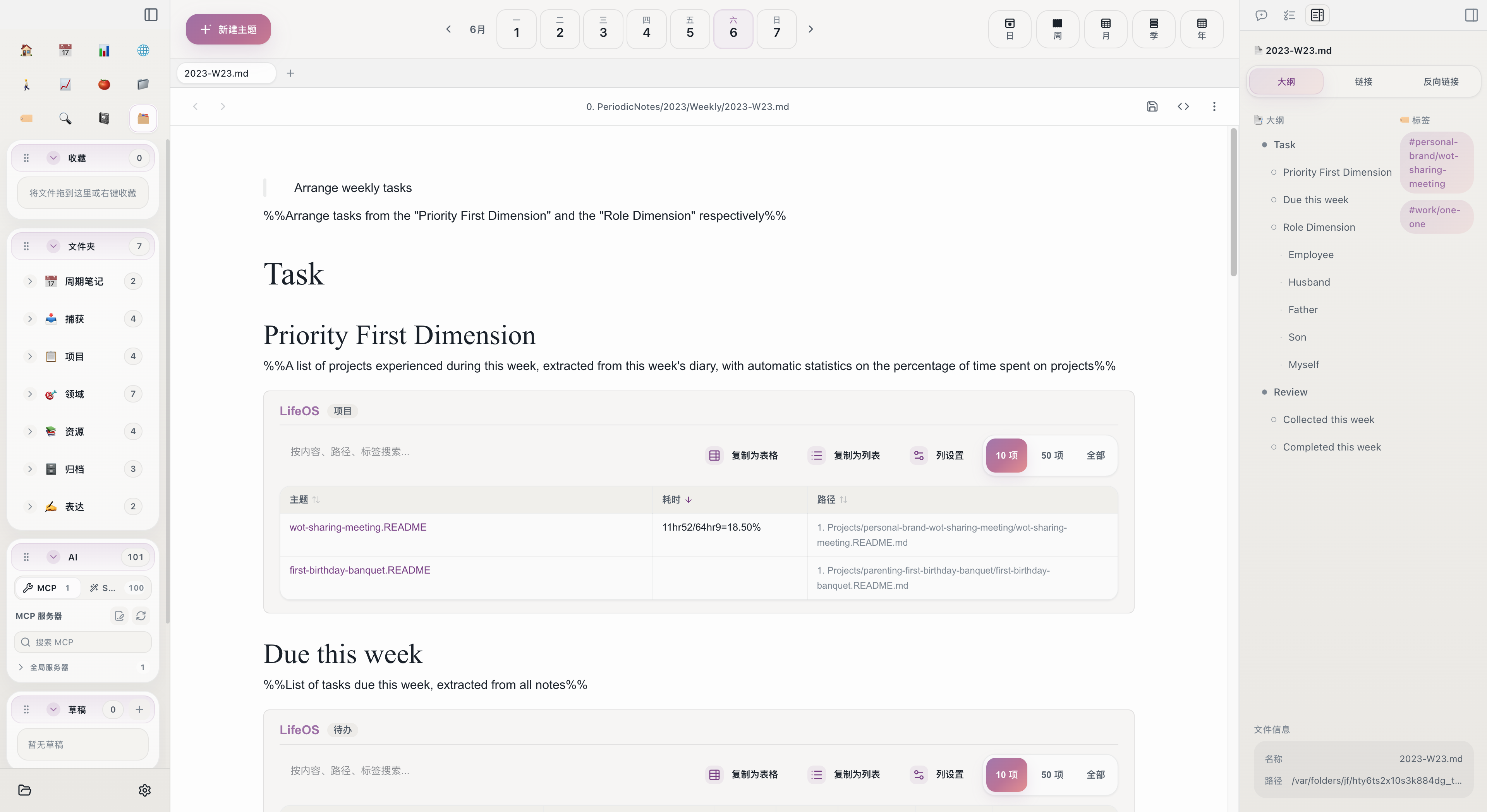
Review is an indispensable part of the LifeOS workflow. Through regular retrospectives, you can assess goal progress, adjust priorities, and distill experience.
Core Logic of Review
LifeOS reviews revolve around projects. Which projects you participated in during each time period, what tasks you completed, and how much time you spent -- these are all the raw materials for review.
Periodic note templates have built-in review areas. The system automatically collects task data for the corresponding time period, allowing you to focus on analysis and decision-making rather than manually compiling data.
A Layered Review Structure
From weekly to yearly, the review perspective progressively elevates:
Each level of periodic notes automatically aggregates data from the level below. You don't need to manually summarize -- open the weekly note, and this week's task completion status is already laid out.
Review Sections in Templates
Each periodic note template contains a "Review" area, typically composed of two automatic lists:
- TaskRecordListByTime -- Collects all tasks recorded in daily notes during that time period (including incomplete ones), showing you "what happened during this period"
- TaskDoneListByTime -- Lists only completed tasks, showing you "what was accomplished during this period"
Comparing the two lists, you can clearly see which tasks were completed, which were delayed, and which were forgotten.
Review While Planning
LifeOS templates are designed to place "review" and "planning" in the same note. When you open a weekly note, the top section contains next week's task plan (arranged by Key Focus Areas and Role Dimension), while the bottom section contains this week's review data.
This design naturally connects review to action: after seeing this week's completion status, you can directly plan next week's tasks above. Completed items don't need to be rewritten; incomplete ones can be considered for deferral to next week.
Review Cadence
Recommended review frequency:
- Weekly review -- Spend 15-30 minutes every Sunday or Monday, reviewing this week's tasks and planning next week
- Monthly review -- Spend 30-60 minutes at the end of each month, reviewing monthly progress and comparing against quarterly goals
- Quarterly review -- Spend 1-2 hours at the end of each quarter, reviewing area status and setting next quarter's goals
- Yearly review -- Spend half a day at year's end, reviewing the year's achievements and setting next year's direction
It doesn't need to be formal every time. Short-term reviews focus on execution (were tasks completed?), while long-term reviews focus on direction (are the goals still right?).
Related Topics
- How to Review -- Specific operational steps for each level of review
- Periodic Notes -- Learn about the template structure at each level
- Connection -- Understand how data flows from daily notes to each level of review
Start with Aino
Turn this approach into your everyday workflow
Try Aino Desktop Pro free for 7 days, open an existing Markdown vault, or start with the complete example vault from your email.
- 7-day free trial
- Portable Markdown
- Complete example vault by email