
GTD Example Vault
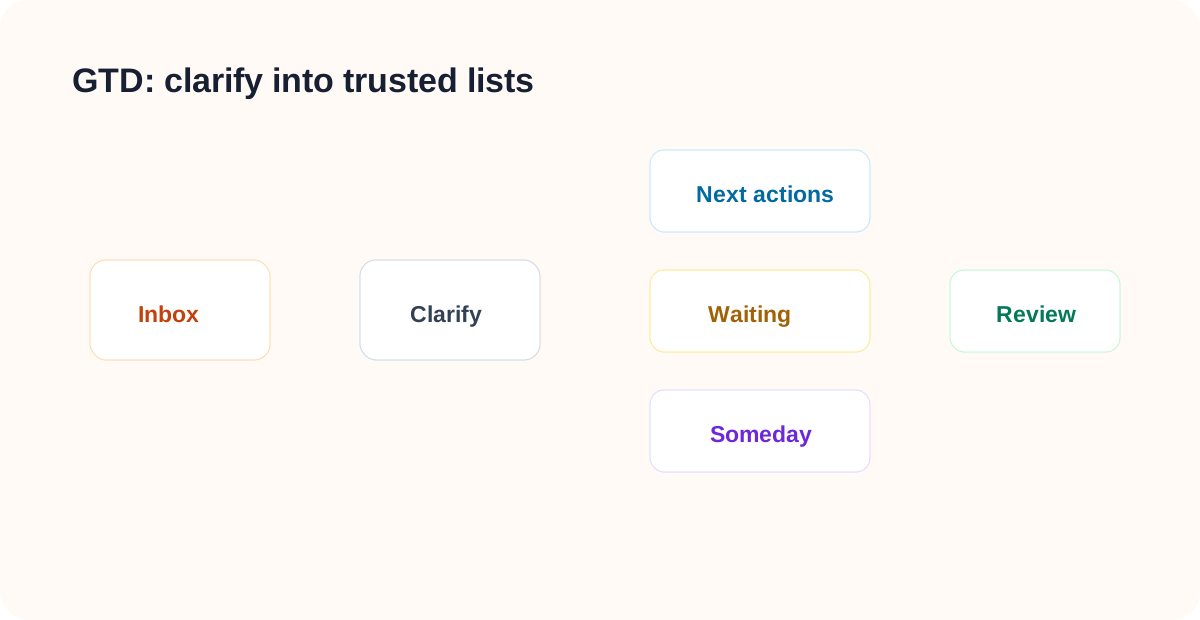
LifeOS Pro GTD Vault starts with execution. Unclear material goes into the inbox, then becomes a next action, waiting-for item, someday item, project, or reference note.
Start With the Whole Vault
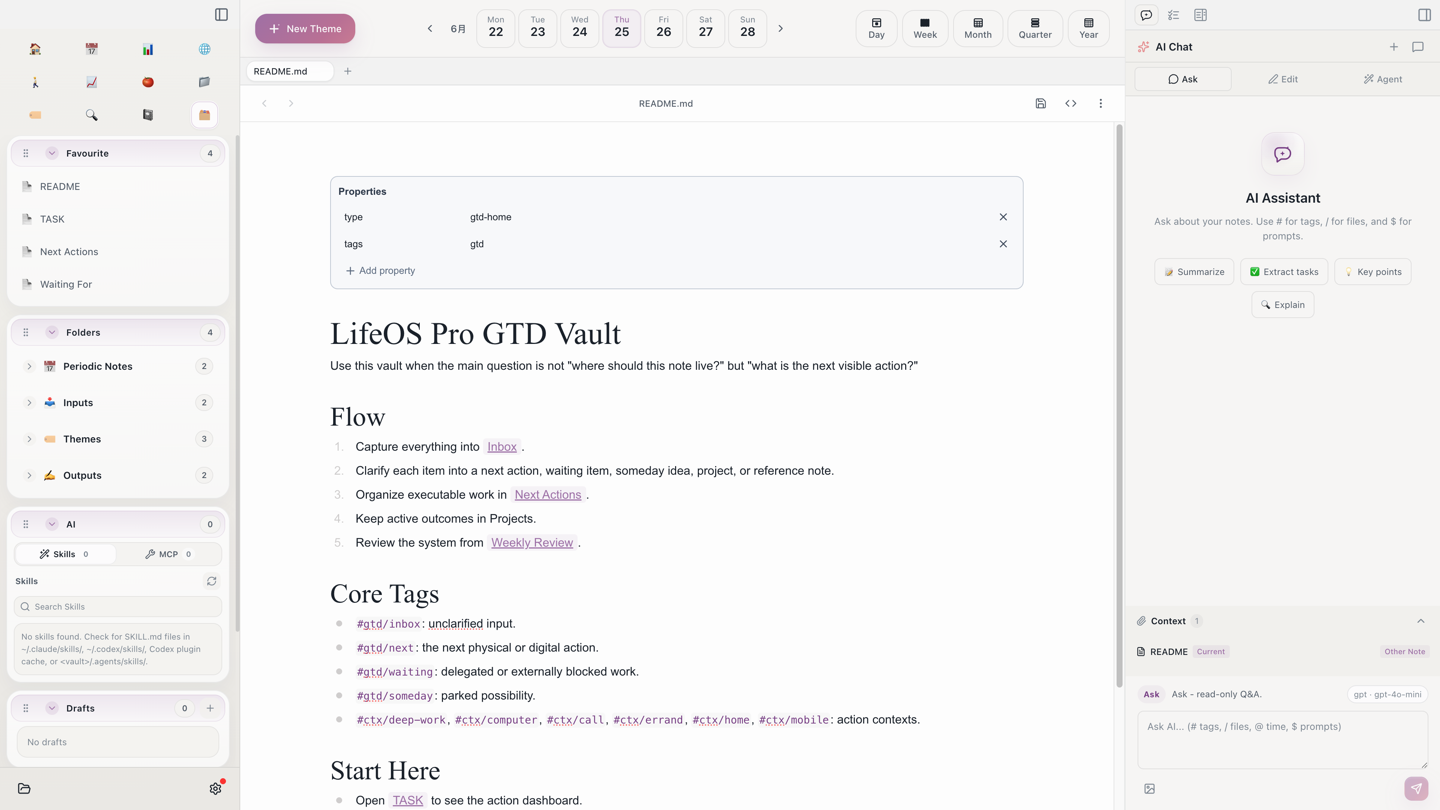
After opening the vault, start from the pinned README, TASK, Next Actions, and Waiting For notes. The left Library view puts the GTD lists first: inbox for unclear material, actions for next/waiting/someday items, projects for multi-step outcomes, and reviews for keeping the system clean.
Open the Action Lists
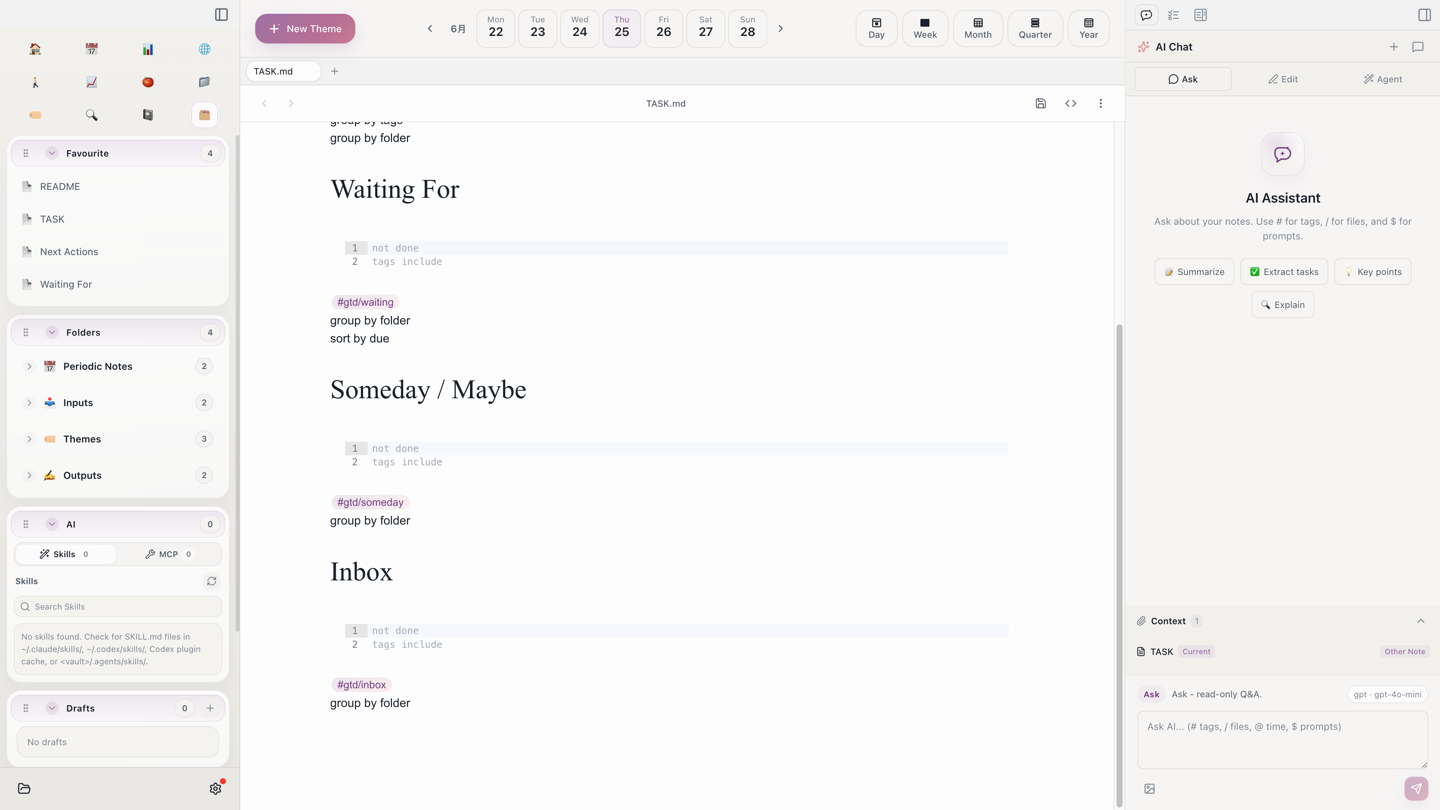
TASK.md is the execution entry point. It aggregates next actions, waiting-for items, someday items, and inbox items by tag, so it is the note you can open every day. In real use, capture first, then clarify during review.
Run It in 15 Minutes
- Add three unclear items to
1. Inbox/Inbox.md. - Turn one into a next action:
- [ ] Finish the Aino GTD example-vault guide #gtd/next #ctx/computer. - Turn one external dependency into a waiting-for item:
- [ ] Waiting for Alex to review the OPC pricing page #gtd/waiting. - Move one idea you will not do now into
Someday Maybe.md. - Open
TASK.mdand confirm the action lists are grouped. - Use the weekly review to check whether the system is trustworthy.
What to Read Next
- Task Management — Aggregate next actions, waiting-for items, and lists.
- Calendar — Put dated actions onto the calendar.
- Pomodoro — Execute actions and write time records back to daily notes.
- Review — Clear the inbox, waiting-for items, and someday list regularly.
Start with Aino
Turn this approach into your everyday workflow
Try Aino Desktop Pro free for 7 days, open an existing Markdown vault, or start with the complete example vault from your email.
- 7-day free trial
- Portable Markdown
- Complete example vault by email