
OPC LifeOS Example Vault
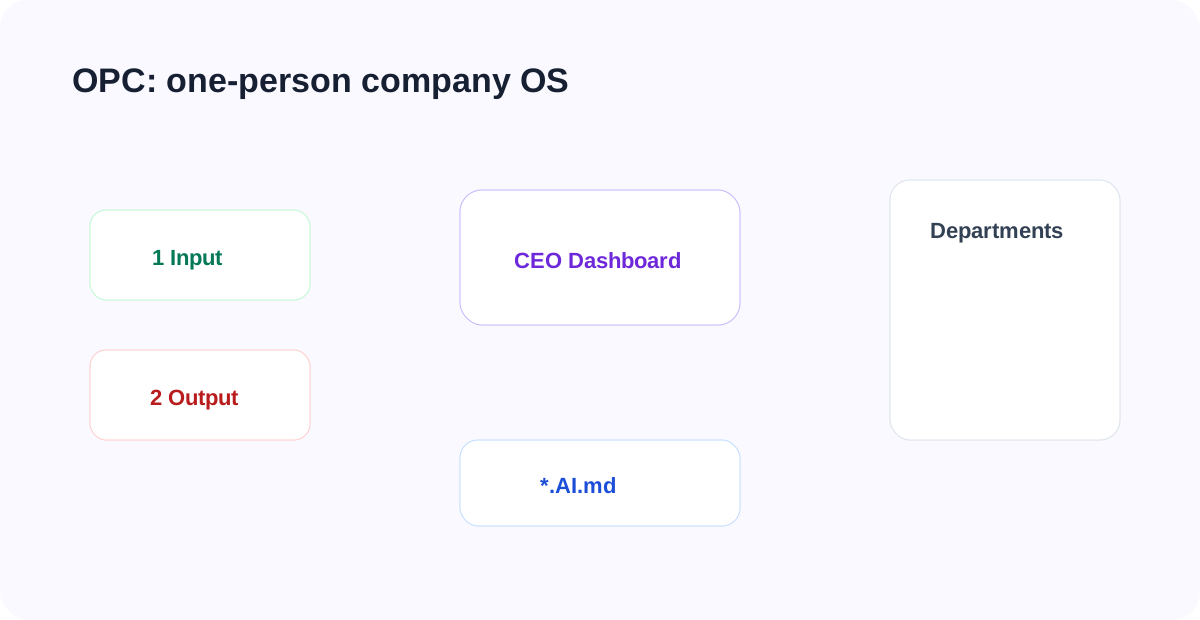
OPC LifeOS Vault is an example vault for a one-person company. It splits solo operations into a CEO dashboard, seven departments, input/output pipelines, and AI-generated dashboards.
Start With the Operating View
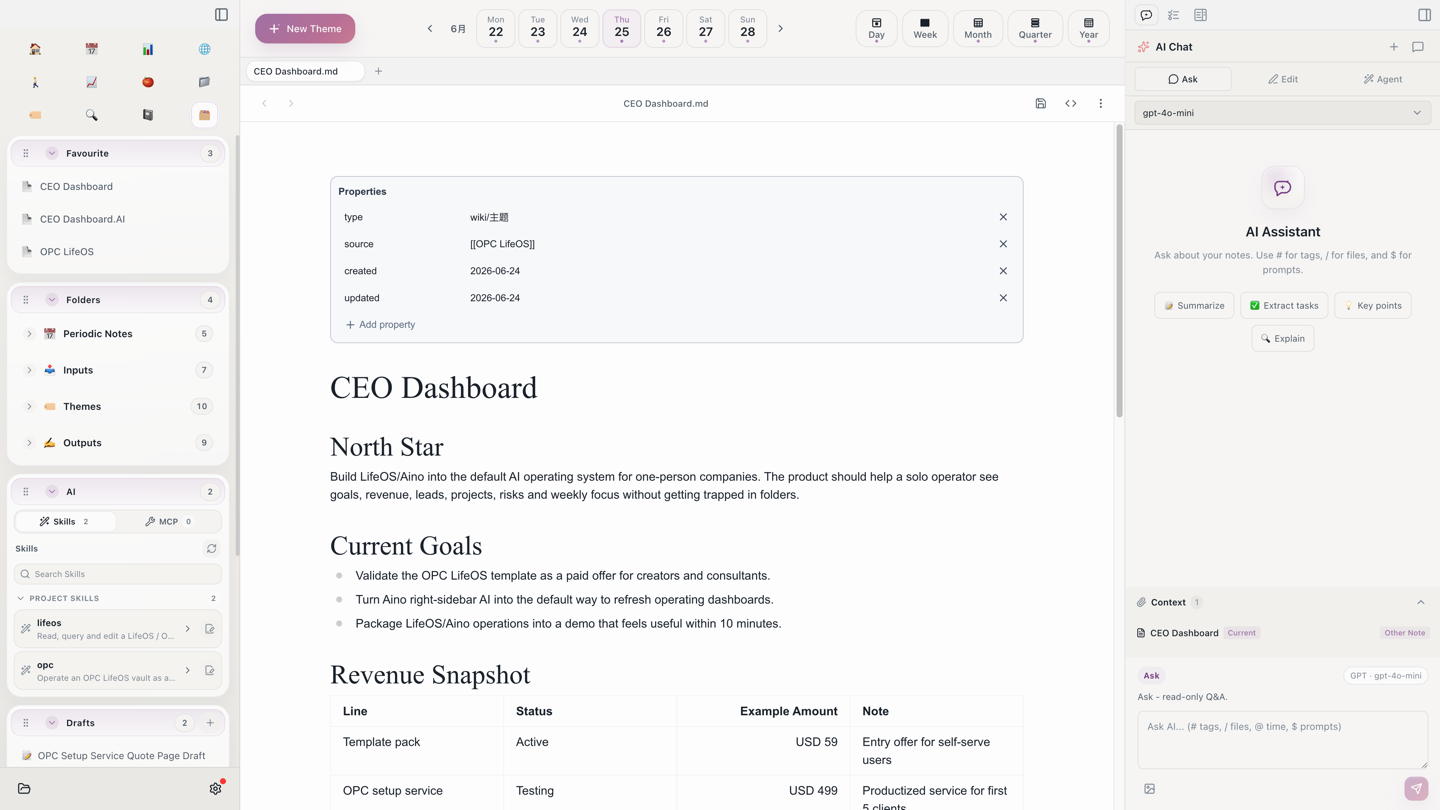
After opening the vault, start from OPC LifeOS.md, CEO Dashboard.md, and CEO Dashboard.AI.md. The point is not to sort files first; it is to see the current company state: goal, revenue, leads, projects, risks, and this week's focus.
Run It in 15 Minutes
- Open
CEO Dashboard.mdand review the north-star goal and department entries. - Open
CEO Dashboard.AI.mdand read the generated operating brief. - Open
3 Departments/04 Sales & Customer Department/04 Sales & Customer Department.md. - Add a daily note record:
#OPC/sales-customer Alex is interested in the OPC setup service and wants delivery timing before next Wednesday. - Put a raw lead under
1 Input/Inboxand a quote draft under2 Output/Drafts. - Use the right-side Agent to refresh
CEO Dashboard.AI.mdfrom the dashboard, Sales & Customer department, recent daily notes, and input/output material. Review the diff before writing it.
1 Input/ and 2 Output/ are lifecycle layers, not departments. Link material back to departments with OPC tags or wikilinks.
Open a Department
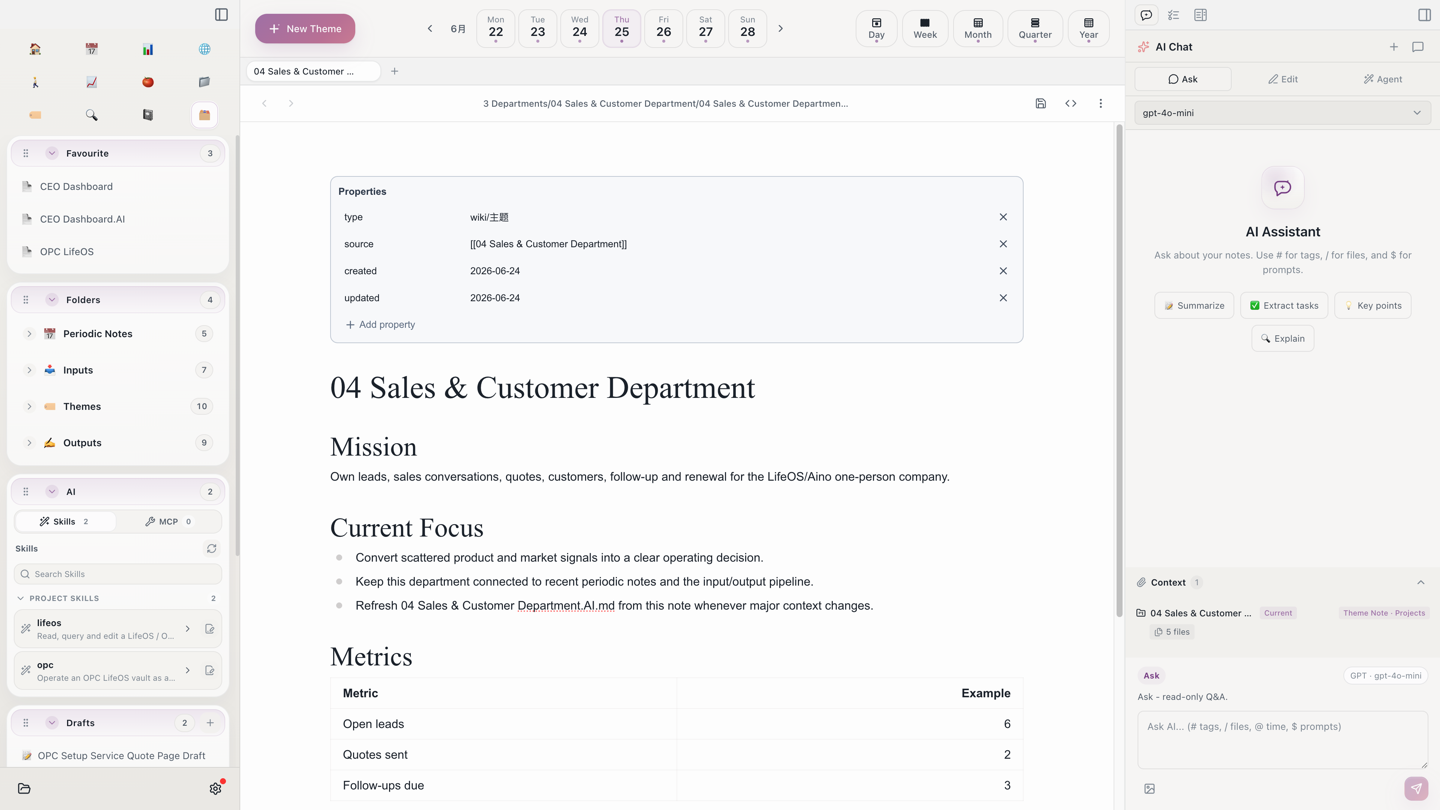
Each department is a topic directory with a department index, Agent.md, Soul.md, Memory.md, and a sibling .AI.md dashboard. In daily work, put raw leads under 1 Input/Inbox and quote drafts under 2 Output/Drafts, while sales decisions, quote templates, customer profiles, and follow-up cadence live in 04 Sales & Customer Department.
Refresh the AI Dashboard
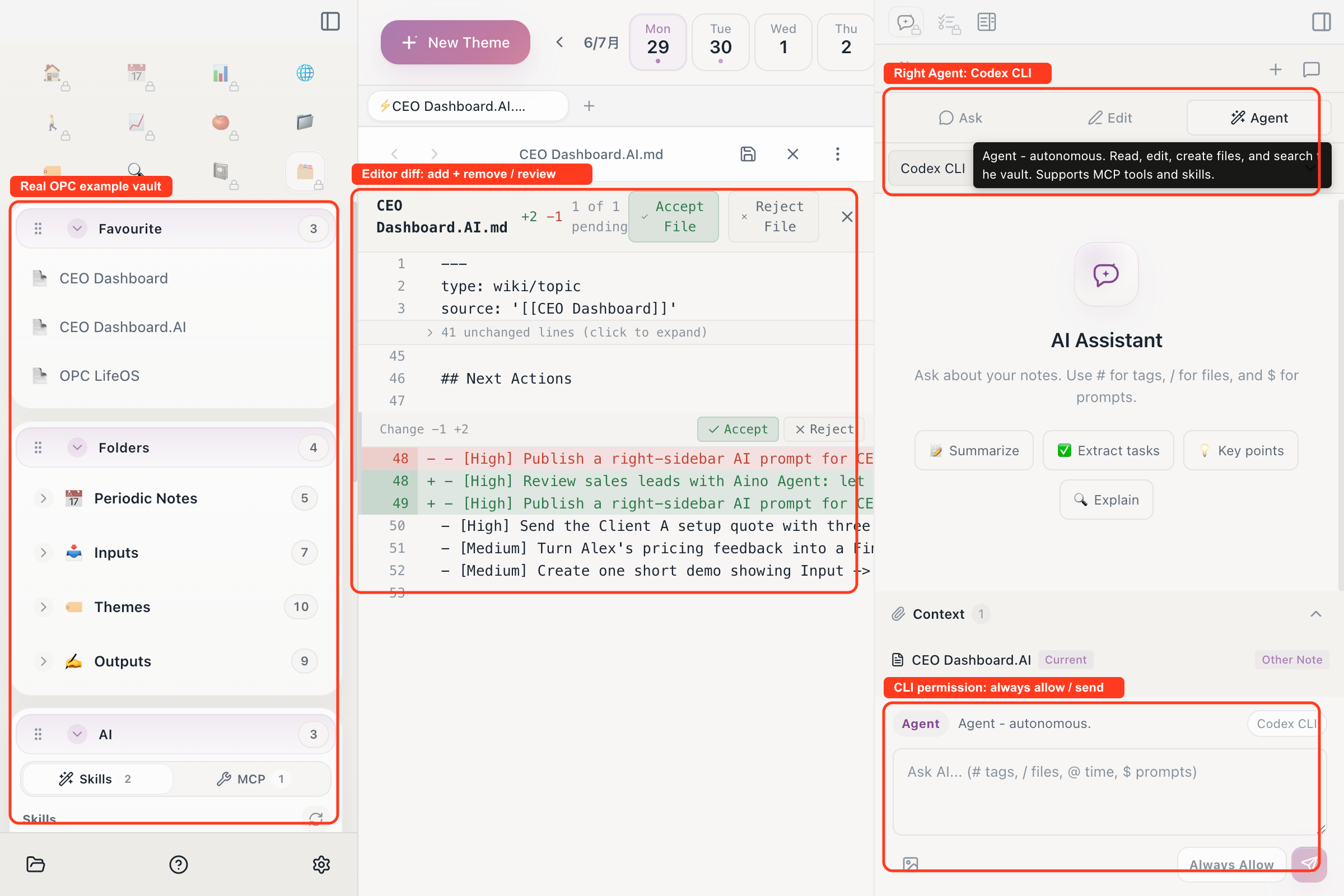
In Aino Desktop, open CEO Dashboard.AI.md and ask the right-side Agent to refresh the operating brief from the current index file, sibling material, recent daily notes, and input/output pipelines. Department .AI.md files work the same way: read the department index first, then the department files, then summarize state, risks, and next actions. Before writing, Aino shows editor additions and removals as a diff so you can accept or reject changes by chunk.
What to Read Next
- AI Chat — Refresh CEO and department
.AI.mddashboards with the right-side Agent. - LifeOS Skill — Let AI maintain the vault with stable operating rules.
- Periodic Notes — Run the company through daily, weekly, monthly, quarterly, and yearly rhythms.
- Theme Notes — Maintain the seven departments as long-lived topic directories.
- Goal Management — Turn CEO dashboard goals into concrete actions.
Start with Aino
Turn this approach into your everyday workflow
Try Aino Desktop Pro free for 7 days, open an existing Markdown vault, or start with the complete example vault from your email.
- 7-day free trial
- Portable Markdown
- Complete example vault by email