
Connection
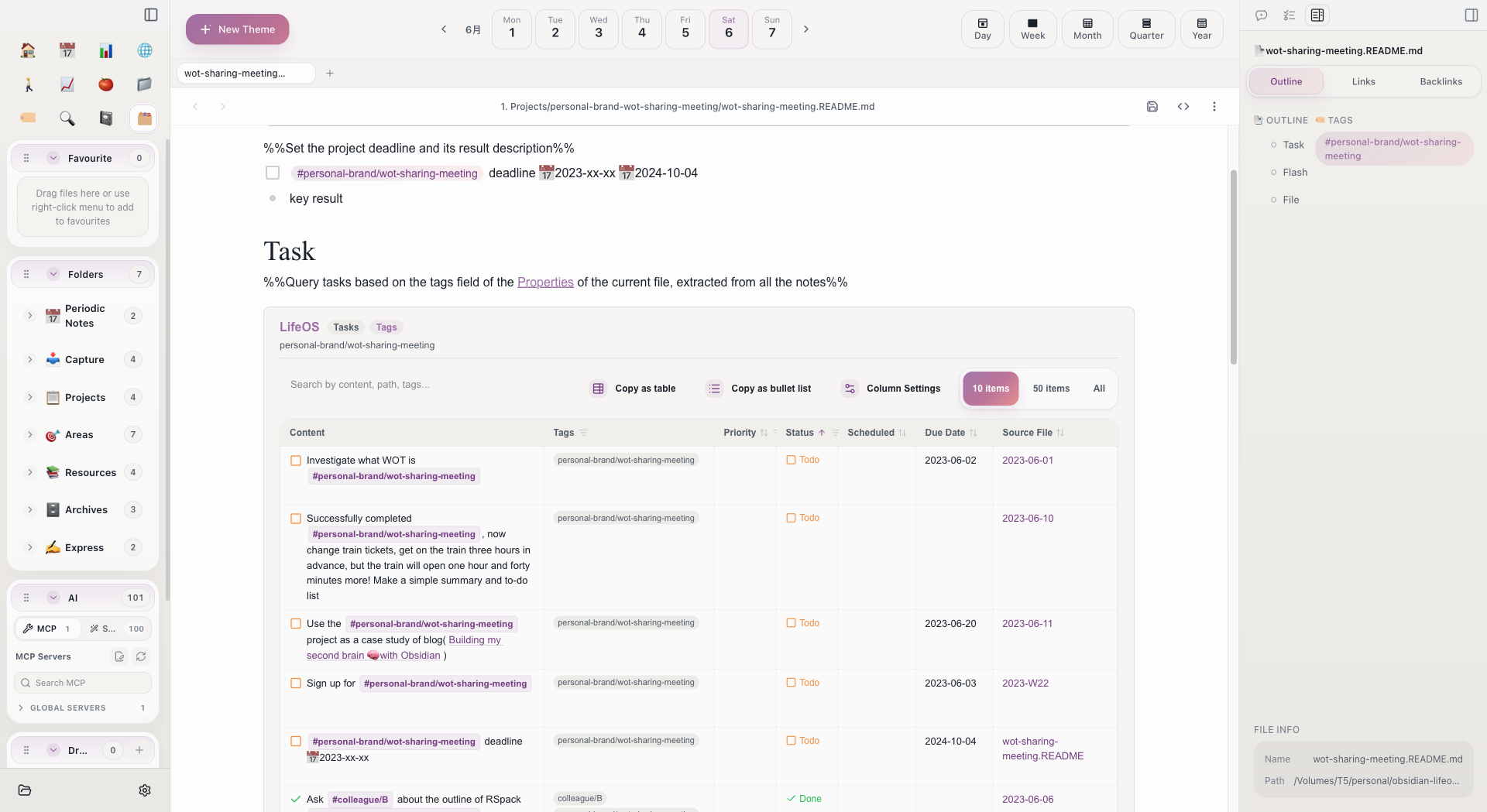
LifeOS's two core systems -- Periodic Notes (time dimension) and Theme Notes (topic dimension) -- do not operate in isolation. They are interconnected through two mechanisms: tags and projects, forming a complete management network.
Connected via Tags
Theme Tags are the most important bridge between the two systems.
How It Works
Each Theme Note (whether a project, area, or resource) corresponds to a theme tag. When you record tasks, fleeting notes, or files in your daily note or other periodic notes, as long as you include the corresponding theme tag, the entry will be automatically indexed to the Theme Note's index file.
For example, suppose you have a project called "Product Launch" with the tag #工作/产品上线:
These tagged tasks and fleeting notes will automatically appear in the "Product Launch" Theme Note's index area -- no manual organization required.
Three Types of Indexed Content
Theme Notes automatically collect three types of content via LifeOS code blocks:
This means you only need to add tags as you write in your daily note, and the Theme Note will automatically accumulate all related records for that topic. When you open the Theme Note later, all historical records are clearly visible at a glance.
Tag Naming Conventions
Hierarchical tags can express how themes relate to one another, while theme folders should remain flat. When Aino creates a theme, it converts / in the tag to - in the folder name:
We recommend flattening theme directories this way: the tag keeps its hierarchy without nesting more folders under Projects, Areas, Resources, or Archives. A theme can then move between all four categories by moving one folder, without reorganizing parent and child directories. Do not manually create a two-level theme directory just to mirror the tag hierarchy.
Connected via Projects
The "Project List" section in the daily note template is another connection point.
Project Snapshots
The {{snapshot:Project}} in the daily note template automatically lists currently active projects. You can record time spent on each project for the day:
Time Aggregation
The ProjectListByTime code block in the daily note automatically calculates the time proportion for each project based on the above time records. The same code block in weekly and monthly notes aggregates project time data from all daily notes within the corresponding period.
This way, you can see total time spent per project this week in the weekly note, and the time allocation for this month in the monthly note -- layer by layer aggregation, no manual calculation needed.
Information Flow Direction
With these two connection mechanisms understood, the flow of information between the two systems can be summarized as:
When recording: Just jot things down in your daily note and add tags. No need to think about categorization or organization.
When retrieving: Open a Theme Note, and all related records are already sorted by type. Click any entry to jump back to the original daily note for full context.
When reviewing: Open a weekly or monthly note, and project time data and task completion status are already automatically summarized, ready for retrospective analysis.
Related Topics
- Periodic Notes -- Learn about the template structure of daily, weekly, and other notes
- Theme Notes -- Learn about the indexing mechanism of Theme Notes
- Retrieval -- How to quickly find the notes you need
- Review -- How to use automatically aggregated data for retrospectives
Start with Aino
Turn this approach into your everyday workflow
Try Aino Desktop Pro free for 7 days, open an existing Markdown vault, or start with the complete example vault from your email.
- 7-day free trial
- Portable Markdown
- Complete example vault by email