Ask your own notes
When a project feels fuzzy, select the relevant notes and let AI summarize the context and next step.

Aino · AI Native
AI is not a chat box beside your notes. It works across the context you choose, organizes and advances real work, and lets you review every change—while your files stay Markdown.
No payment required. Enter your email in Aino; the seven days start when you open the example-vault email.
A real Aino workflow, not a concept animation
What you keep control of
AI-native, not just AI chat
Select notes, web pages, tasks, or folders. AI reads only the material you provide.
Ask, summarize, organize, rewrite, or use tools to bring the result back into your workspace.
Inspect file changes before applying them. The result remains local, portable Markdown.
Ask, summarize, review, organize, build apps, and carry work forward—directly on local Markdown you control.
Attach notes, tags, the current page, or a date range so AI answers from your real context instead of guessing.
Learn how to use itCondense long notes, project material, or clipped web pages into editable Markdown with key points and next steps.
Learn how to use itTurn weekly, monthly, quarterly, or yearly tasks, notes, projects, and habits into a report you can refine and write back.
Learn how to use itSelect notes or journal entries first, then ask AI for tags, summaries, merge ideas, and move suggestions before changing files.
Learn how to use itDescribe a tool and AI generates a Markdown-backed app whose source is validated before it runs in a sandbox.
Learn how to use itKeep project context in a workbench, use Skills or Claude Code and Codex across files, and review diffs before applying changes.
Learn how to use itAino Desktop · New task workspace
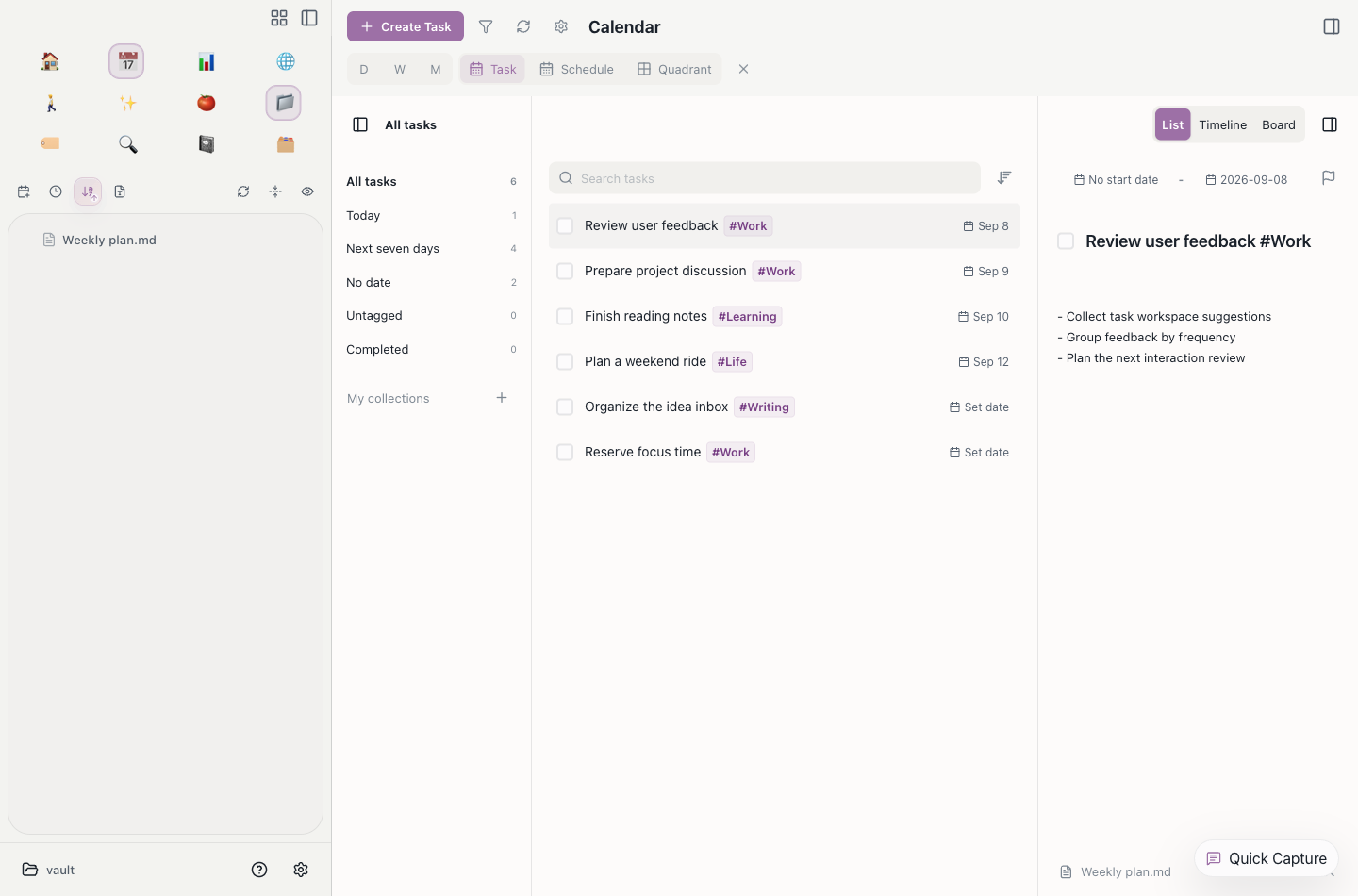
Bring tasks from across your notes into one place to search, sort, filter, and edit their details.
Do not learn a system first. Make existing notes easier to find, schedule, and review.
When a project feels fuzzy, select the relevant notes and let AI summarize the context and next step.
Write in a clean editor while the underlying files stay plain Markdown that you can take elsewhere.
Move tasks into calendar, kanban, or four-quadrant views instead of reacting to the loudest message.
Bring to-dos from meeting notes, journals, and projects into one workspace. Switch between list, timeline, and board, and edit task details in place.
Focus sessions and habit completions land in the daily note, so reviews are based on evidence.
Find notes, commands, tags, and material quickly, with less time spent browsing the tree.
Open Quick Capture anywhere. Notes and tasks are saved under Daily Record in today’s journal, ready to search and review.
Topic notes and PARA separate projects, areas, resources, and archives while everything stays local Markdown.
Keep the same Markdown vault on desktop and mobile with Koofr WebDAV or S3-compatible storage. Secrets stay on your device.
BUILT-IN AI APPS · EXPERIMENTAL
Four install-ready apps turn common workflows into focused interfaces powered by local Markdown.

See contacts, relationship strength, recent activity, and follow-up dates in one practical workspace.
Contacts live in Markdown; interaction counts come from journal entriesAutomatically scan the vault for ebooks, keep manual import available, and save reading progress as you go.
Reads EPUB, MOBI, AZW, DOCX, TXT, and Markdown; PDFs open in Aino’s readerCapture context, options, the final choice, reasons, and assumptions together, then set a future review date.
Decisions and review dates stay in ordinary MarkdownRun a health check and daily action board for a one-person company across leads, delivery, risk, and teams.
Recognizes the official Chinese or English OPC structure; AI updates wait for confirmationLook at how capture, planning, review, and questions connect instead of scanning a feature list.
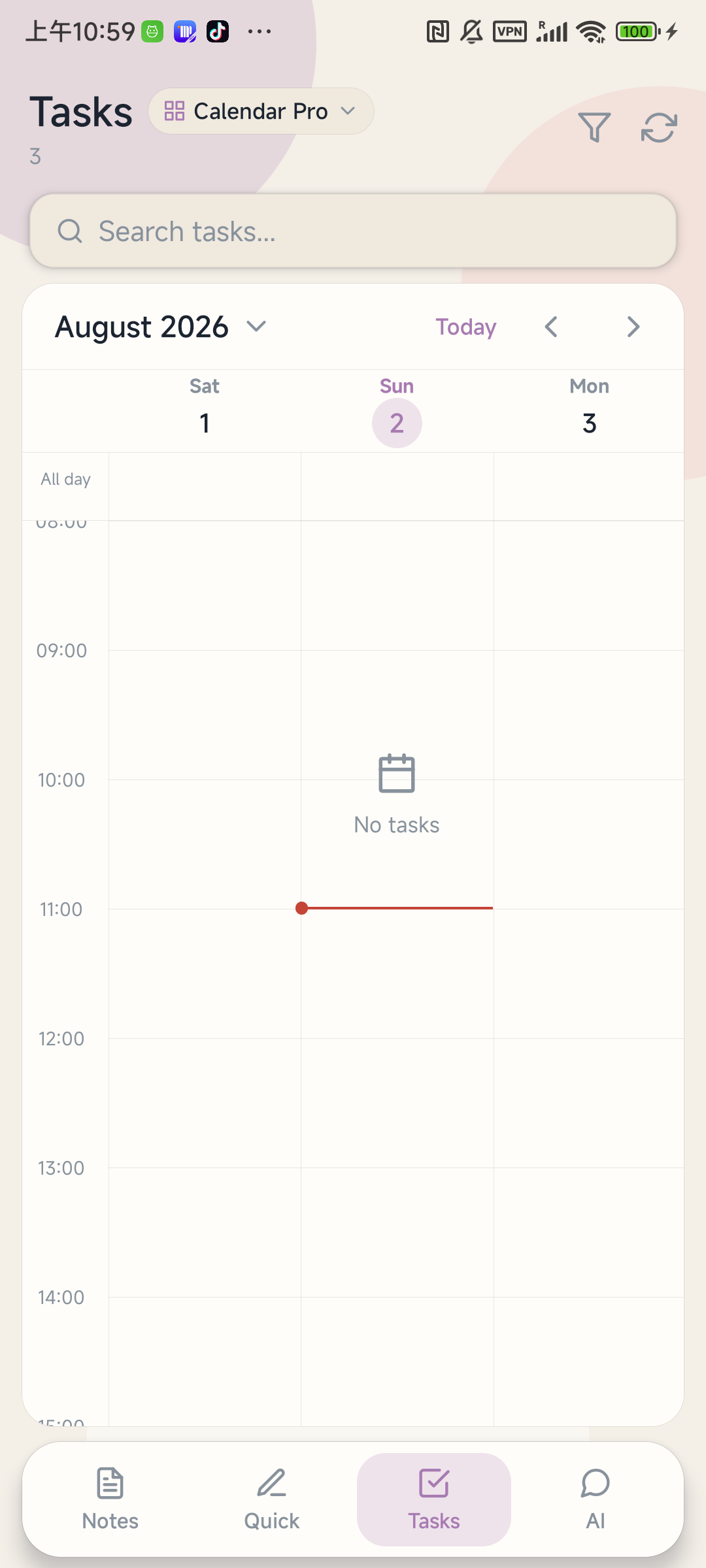
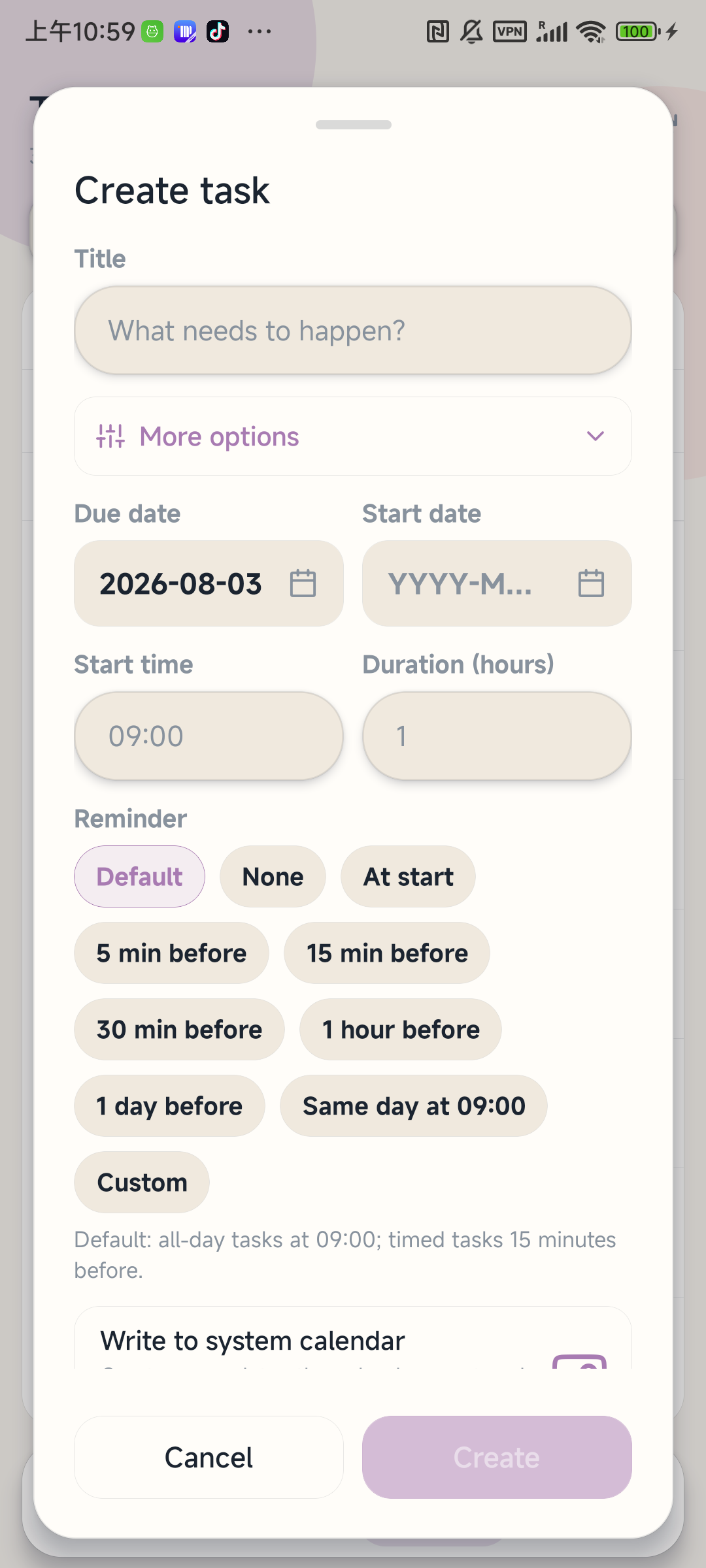
Switch from Schedule Pro to Calendar Pro and place your vault tasks on a timeline built for a phone.
When you need to review, decide, or continue writing, let it read the context you choose.
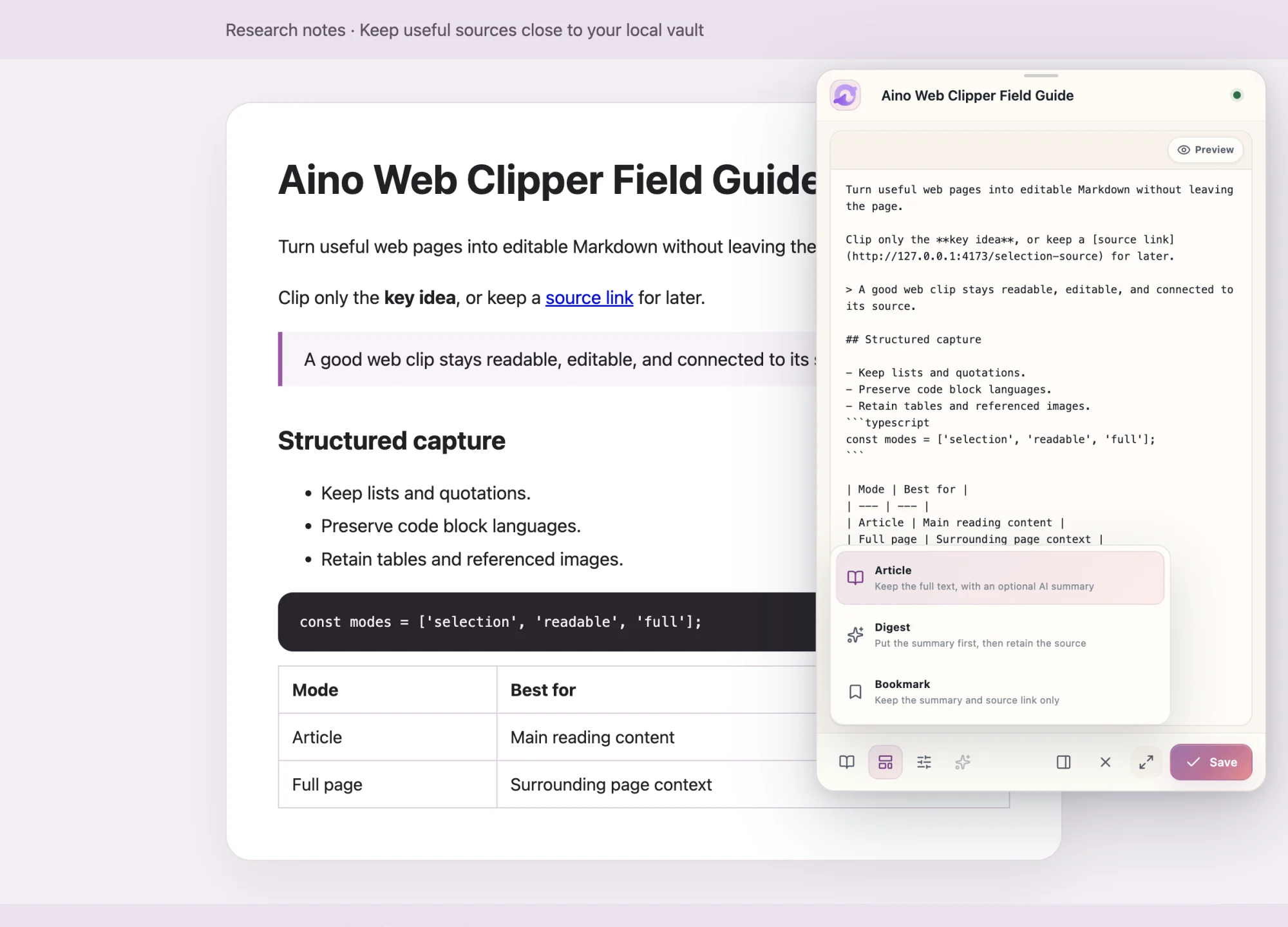
Extract, organize, and preview a page before saving clean Markdown to your local vault.
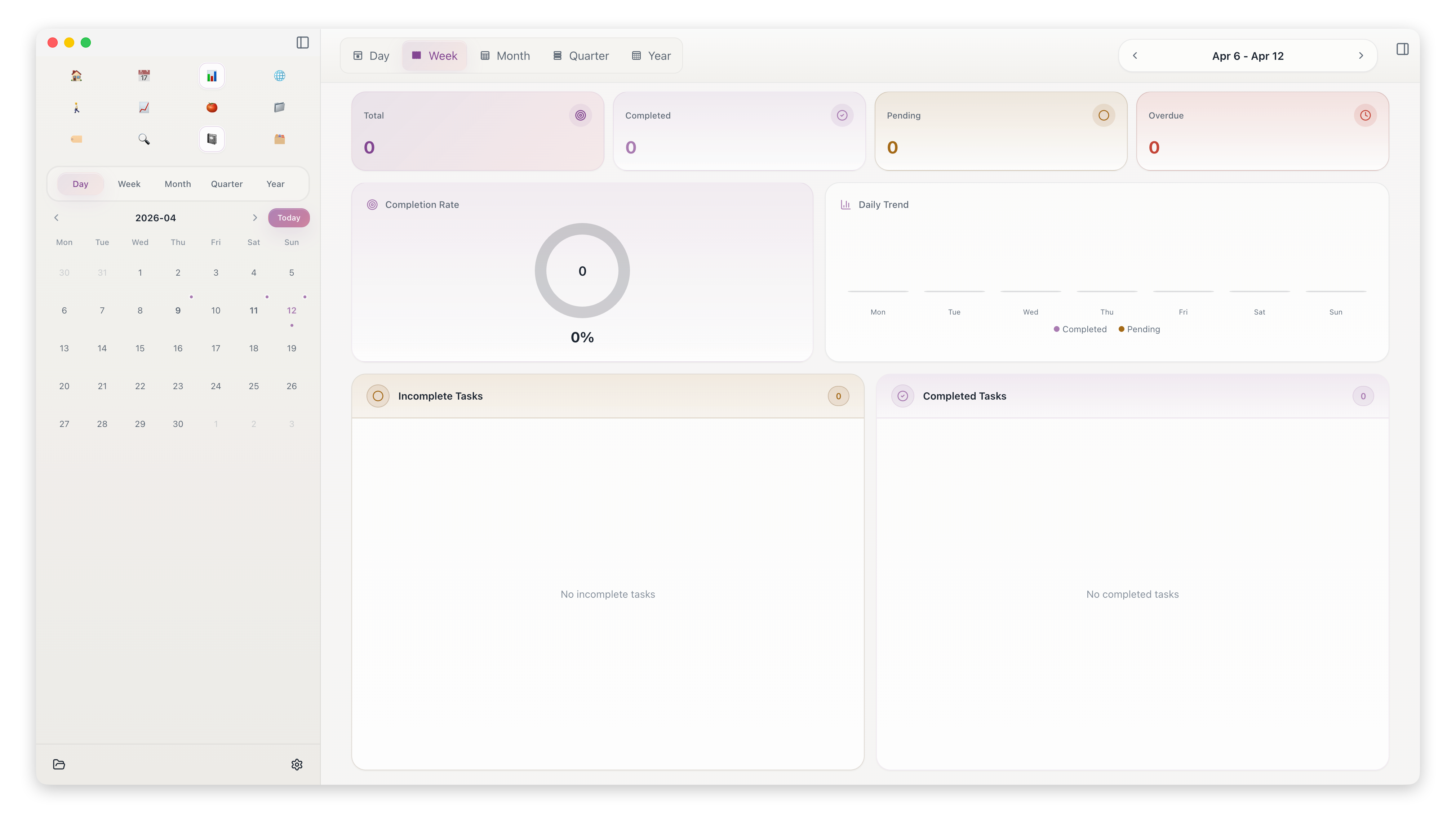
Capture lightly each day, then review weekends and month-ends without guessing.
Bring the workflow home
Reduce manual organizing so your attention stays on the work in front of you.
Browse, bookmark, and clip in the app so references return to the vault.
Cross-file search and replace helps fix tags, paths, and repeated phrasing.
File tree, tag tree, and pinned items keep frequent topics close.
Get the vault workflow working first, then connect outside tools and AI capabilities.
Adjust light or dark mode, accent color, and editor styling by context.
Start with Koofr WebDAV, or use S3-compatible storage such as Cloudflare R2, Backblaze B2, or your own bucket.
Browse, bookmark, and clip in the app so references return to the vault.
Cross-file search and replace helps fix tags, paths, and repeated phrasing.
File tree, tag tree, and pinned items keep frequent topics close.
Get the vault workflow working first, then connect outside tools and AI capabilities.
Adjust light or dark mode, accent color, and editor styling by context.
Start with Koofr WebDAV, or use S3-compatible storage such as Cloudflare R2, Backblaze B2, or your own bucket.
The practical answers that determine whether Aino fits your workflow.
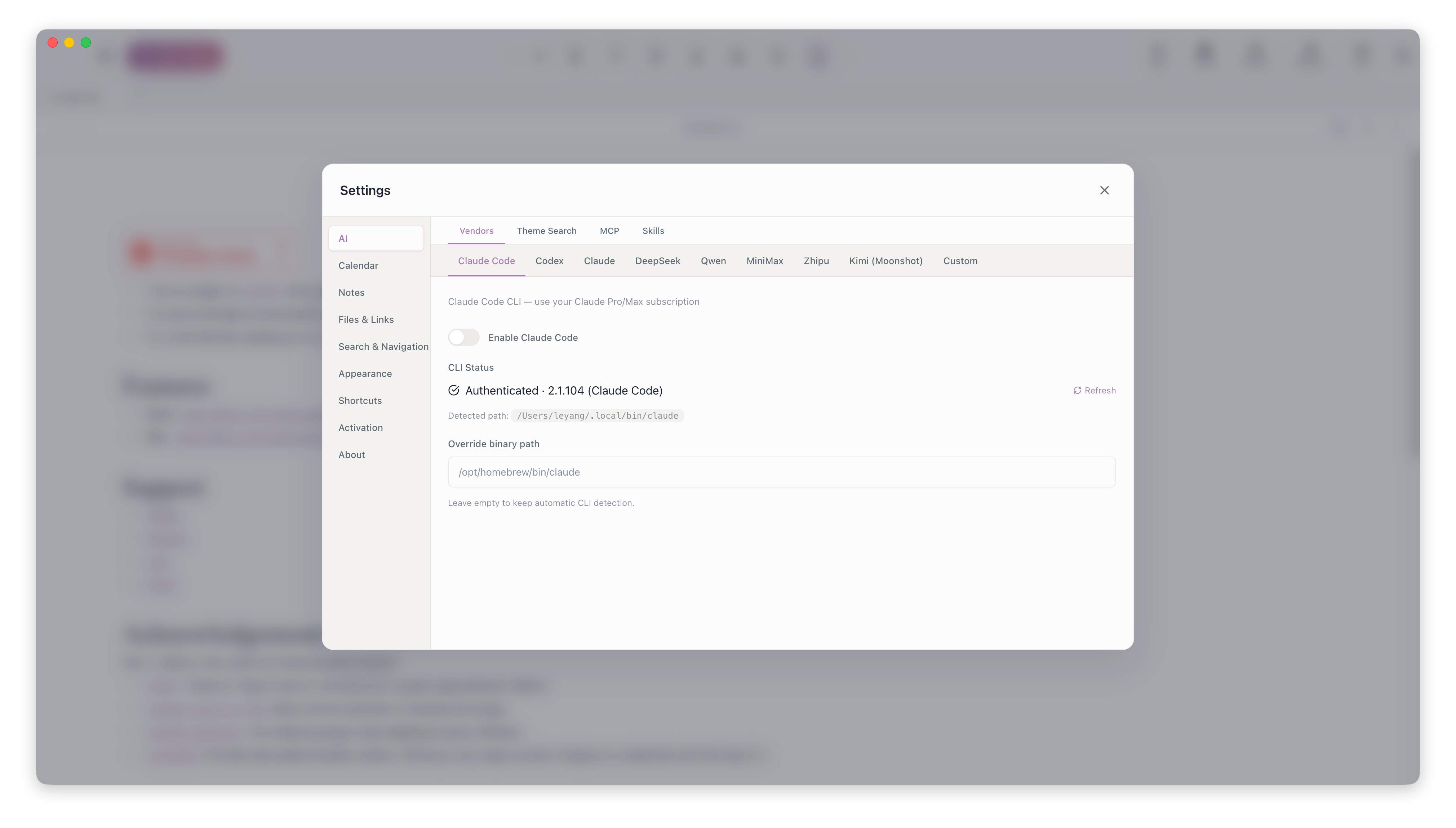
No. Editing, files, tasks, calendars, and reviews work without an AI key. AI features use a provider you configure or a supported local CLI.
In a local folder as standard Markdown files. You can back them up, sync them with your own service, and open them with other Markdown tools.
Yes. Aino can open an existing Obsidian vault directly. As with any new editor, make a backup before changing a large library.
Desktop manages the complete vault and advanced workflows. Mobile is optimized for quick capture, inbox collection, AI answers, and lightweight review.
Desktop Pro is a one-time purchase for up to three devices. Aino Mobile Pro is a separate monthly or yearly subscription through the mobile platform.
Mobile captures on the go; desktop runs the full vault workflow
per month, or $24.99 / year
One-time purchase, 3 devices
Share workflows, report issues, and see how others turn notes into action