
How to Review
This article provides specific operational steps for each level of review, helping you build a sustainable review habit.
Daily Review
Time: 5 minutes before the end of each workday
Steps:
- Open today's daily note
- Check the "Today's Tasks" area and tick off completed tasks
- Look at
ProjectListByTimein "Energy Allocation" to confirm time was spent on the right projects - Decide what to do with incomplete tasks: continue tomorrow? Defer to next week? Or no longer needed?
- Add any takeaways or thoughts in the "Daily Records" area
The daily review doesn't require writing a summary. The core actions are: tick off what's done, handle what's not done, and don't let tasks pile up in the inbox.
Weekly Review
Time: Every Sunday or Monday, 15-30 minutes
Steps:
1. Check Review Data
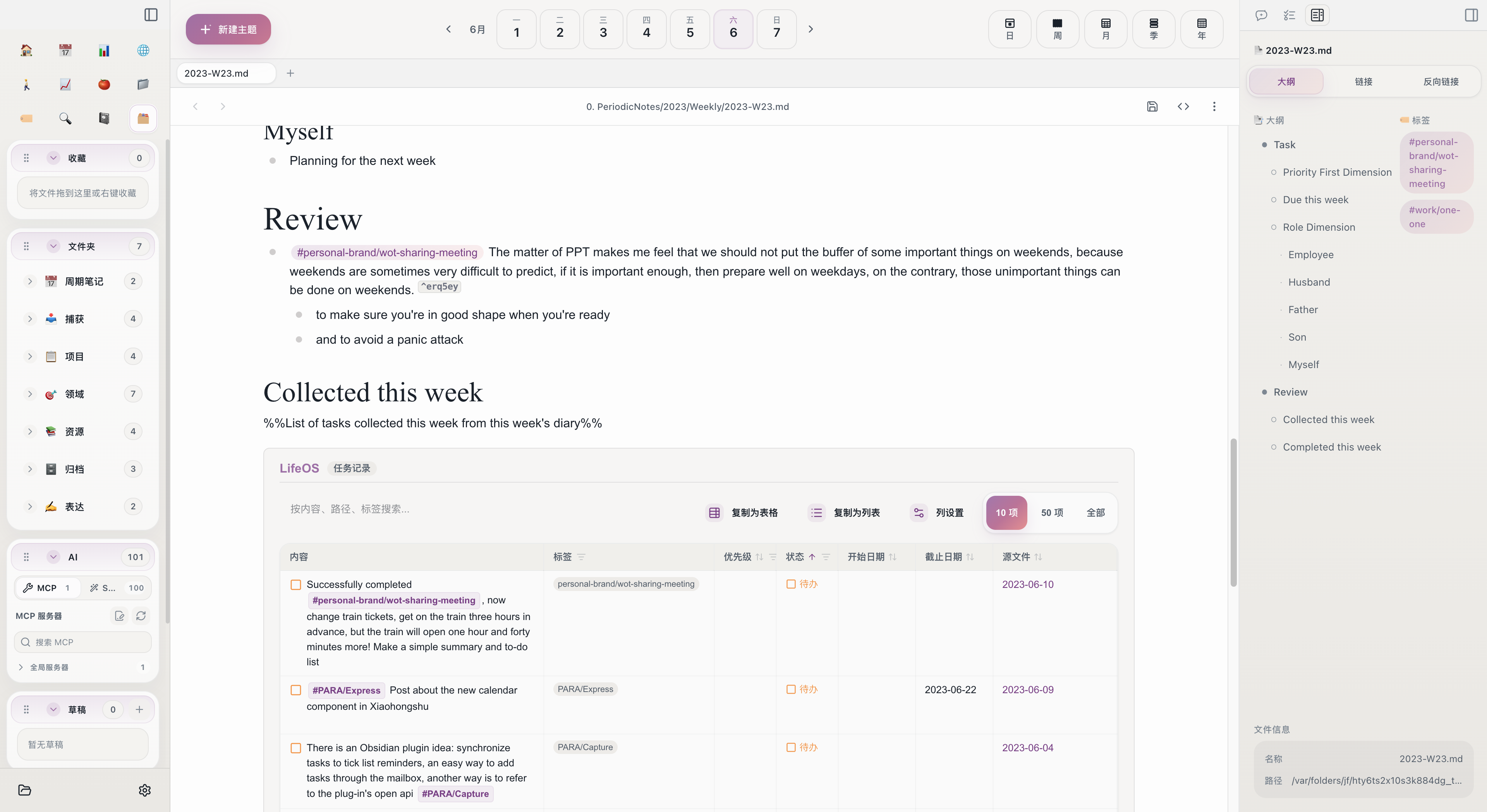
Open this week's weekly note and scroll to the "Review" area:
TaskRecordListByTime-- All tasks recorded in this week's daily notesTaskDoneListByTime-- All tasks completed this week
Compare the two lists, calculate the completion rate, and identify repeatedly deferred tasks.
2. Check Project Time
Look at ProjectListByTime in the "Key Focus Areas" section to understand this week's time allocation across projects:
- Did important projects get enough time?
- Was too much energy consumed by trivial matters?
3. Plan Next Week's Tasks
In the "Role Dimension" area of the weekly note, arrange next week's tasks by role:
Select what to push forward this week from monthly tasks, ensuring each role is attended to.
4. Handle Leftover Tasks
For tasks not completed last week, decide one by one:
Monthly Review
Time: Last day of each month, 30-60 minutes
Steps:
1. Review Monthly Data
Open this month's monthly note and check the review area:
TaskRecordListByTime-- All tasks collected this monthTaskDoneListByTime-- All tasks completed this monthProjectListByTime-- Time proportion per project this month
2. Compare Against Quarterly Goals
Open this quarter's quarterly note and check progress on each quarterly goal:
- Goals on track -- Keep going
- Goals behind schedule -- Analyze the reasons, adjust next month's priorities
- Goals no longer important -- Decisively abandon or downgrade
3. Plan Next Month's Tasks
In the "Role Dimension" area of the monthly note, break down next month's specific tasks from quarterly goals. Add deadlines to key tasks.
4. Organize PARA
Spend a few minutes each month checking the PARA structure:
- Have completed projects been archived?
- Are there new projects that need to be created?
- Do areas and resources need adjustment?
Quarterly Review
Time: Last week of each quarter, 1-2 hours
Steps:
1. Review Area Snapshots
The {{snapshot:Area}} in the quarterly note lists all current areas. Evaluate the health status of each area:
- Which areas are improving?
- Which areas have been neglected?
- Which areas need to be added or merged?
2. Review Project Time
Check ProjectListByTime to understand time investment per project this quarter. Time doesn't lie -- what you truly care about will always show up in the time data.
3. Set Next Quarter's Goals
Starting from annual goals and incorporating this quarter's review conclusions, formulate specific goals for next quarter. Set them separately by Key Focus Areas and Role Dimension.
Yearly Review
Time: Last week of the year, half a day
Steps:
1. Review Annual Data
Open the yearly note and check the full year's project time and task data. Answer these questions:
- What important things were accomplished this year?
- Where was most of the time spent?
- How many of the goals set at the beginning of the year were achieved?
2. Review Area Changes
Compare area snapshots from the beginning and end of the year to see how each area changed over the year. Some areas may have been created from scratch; others may have been archived.
3. Set Next Year's Direction
Annual goals don't need to be overly detailed. The focus is on determining direction and key areas:
- Which area do you most want to make a breakthrough in next year?
- Are there new roles or responsibilities to take on?
- What should you stop doing?
Key Principles of Review
- Consistency matters more than perfection -- Even spending just 5 minutes for a quick pass is better than skipping it entirely.
- Let data speak -- Don't judge by feel; look at the actual data from
TaskDoneListByTimeandProjectListByTime. - Action-oriented -- The purpose of review is not to write summaries, but to make adjustments. Each review should produce at least one concrete change.
- Don't be too hard on yourself -- Incomplete tasks don't mean failure. Circumstances change, and plans naturally need adjusting.
Related Topics
- Review -- The overall review workflow and design philosophy
- Goal Management -- How to set and break down goals
- Time Management -- How to track and analyze time allocation
- Periodic Notes -- Complete templates for each level of notes