
Calendar Subscriptions
Aino LifeOS supports external calendars through CalDAV, Google Calendar, and ICS subscriptions. Pick the method by sync direction: CalDAV and Google are better when you need two-way sync and phone reminders; ICS is better for read-only subscriptions.
Where to Configure in the App
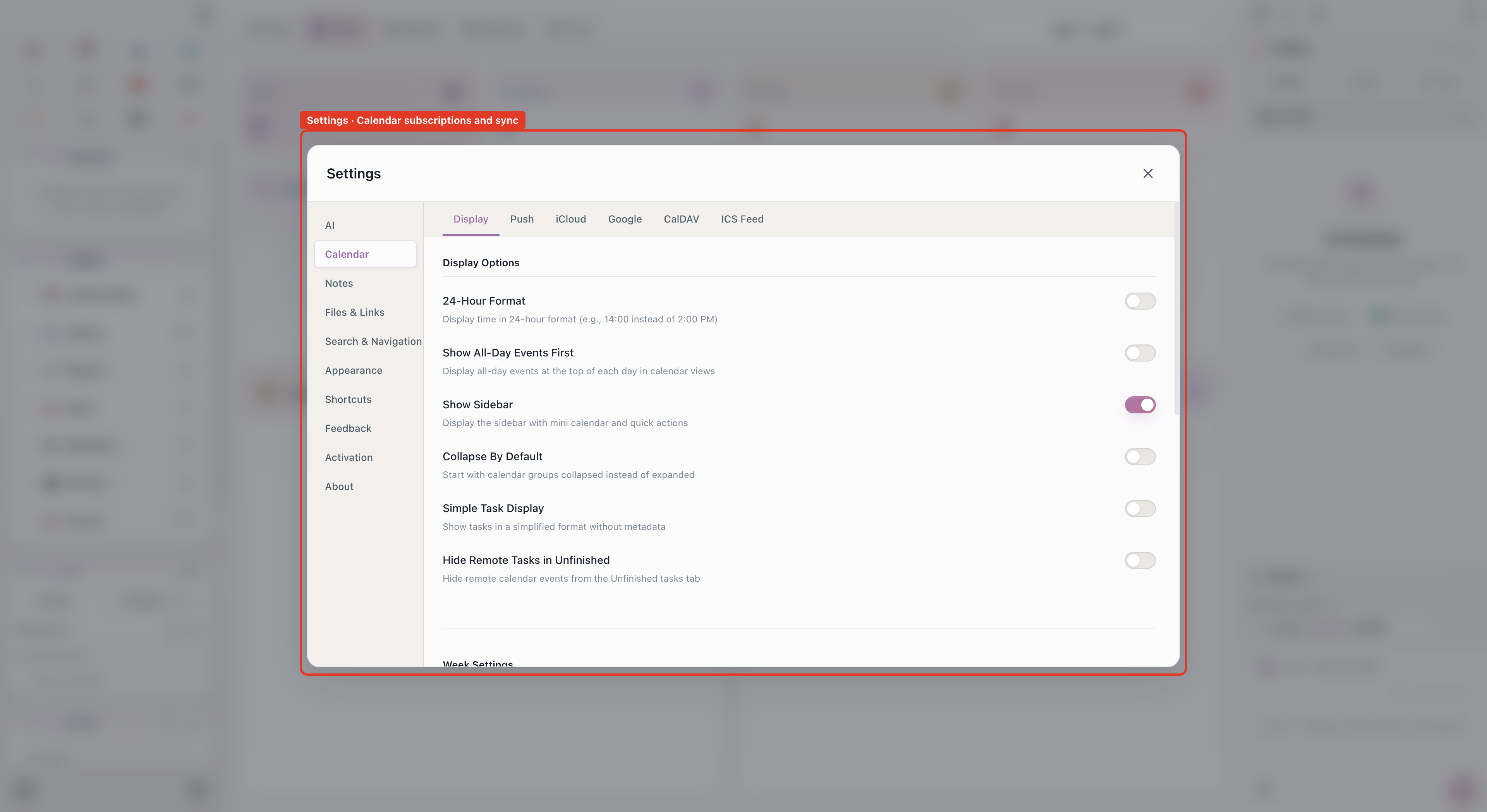
- Aino Desktop: Open Settings → Calendar, then choose iCloud / Google / CalDAV / ICS Subscription based on your service.
- Test connection: When setup fails, the settings page shows copyable diagnostics. Check the server URL, account, app-specific password, or OAuth test user first.
- Which method to choose: Use iCloud, Google, or writable CalDAV if Aino tasks should appear as phone reminders. Use ICS when you only need to view external events.
Subscription Methods
iCloud Calendar (CalDAV)
iCloud Calendar is best for Apple users. After setup, Aino LifeOS can read iCloud events and push local tasks to iCloud Calendar for phone and desktop reminders.
- Sign in to Apple account management and generate an app-specific password.
- Open Settings -> Calendar -> iCloud.
- Enter your Apple ID and the app-specific password.
- Use
caldav.icloud.comas the server address. - Refresh the calendar list and choose the default write calendar.
Optional settings include whether to push local tasks to iCloud, whether to delete completed tasks, and reminder timing for all-day and timed events.
Google Calendar (CalDAV)
Google Calendar is best when you need reminders across platforms. Aino LifeOS connects through Google OAuth.
Step 1: Create Google Cloud OAuth credentials
- Create or select a project in Google Cloud Console.
- Enable the CalDAV API.
- Create a Desktop app OAuth Client ID, then copy the Client ID and Client Secret.
Step 2: Add yourself as a test user
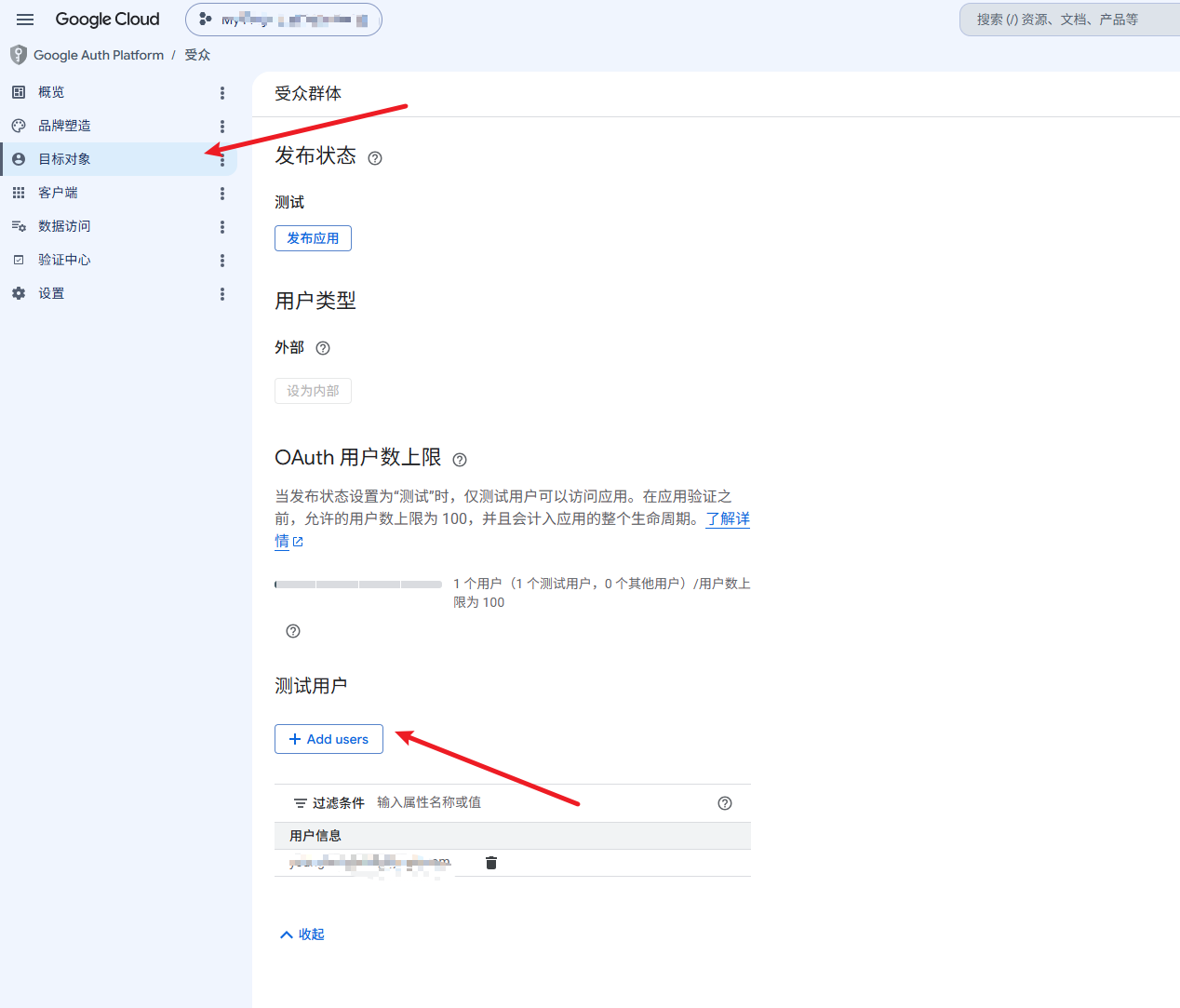
When your Google OAuth app is in the testing publishing status, only accounts added as test users can authorize it. Add the Google account you will use for calendar sync before connecting from Aino LifeOS.
- In Google Cloud Console, open Google Auth Platform -> Audience.
- In the Test users section, click + Add users.
- Enter your Google email address and save it.
- If you use multiple Google accounts, add the same account you will use when authorizing Aino LifeOS.
Step 3: Configure Google Calendar
- Open Settings -> Calendar -> Google, enter the credentials from Step 1, and click Connect.
- Complete authorization in the browser, refresh calendars, and choose the default write calendar.
If you use your own OAuth app, Google may show an unverified-app warning. This is common for personal OAuth apps; continuing only grants access to the calendar data you authorize.
Generic CalDAV
CalDAV is a standard calendar sync protocol for enterprise or self-hosted calendar services. Common providers include Feishu, DingTalk, WeCom, Tencent Meeting, QQ Mail, and Nextcloud.
Feishu CalDAV only supports one-way sync. It cannot write Aino LifeOS tasks back to Feishu Calendar through CalDAV. If you need phone reminders, use iCloud, Google, or DingTalk as the default write calendar.
If you need multiple CalDAV services, add multiple CalDAV configurations in settings.
ICS Subscriptions
ICS subscriptions pull calendar events from a URL and are usually read-only. Use them for TickTick, Outlook, public iCloud calendars, Google Calendar private iCal links, and other iCal feeds.
- Find the ICS / iCal subscription URL in the third-party calendar service.
- Open Settings -> Calendar -> ICS Subscription.
- Paste the subscription URL.
- For multiple feeds, enter one URL per line or add multiple ICS configurations.
Two-Way Sync Rules
- iCloud, Google, and some CalDAV services support two-way sync.
- ICS only pulls events from the remote calendar and does not write back.
- Whether edits and deletions sync depends on whether the service allows writes.
The sync interval can be adjusted in settings. Initial sync may take a few minutes depending on the amount of calendar data.
Related
- Calendar -- Calendar views and event management
- Task Management -- Drag tasks to the calendar to schedule time