
Obsidian Flavored Markdown Compatibility
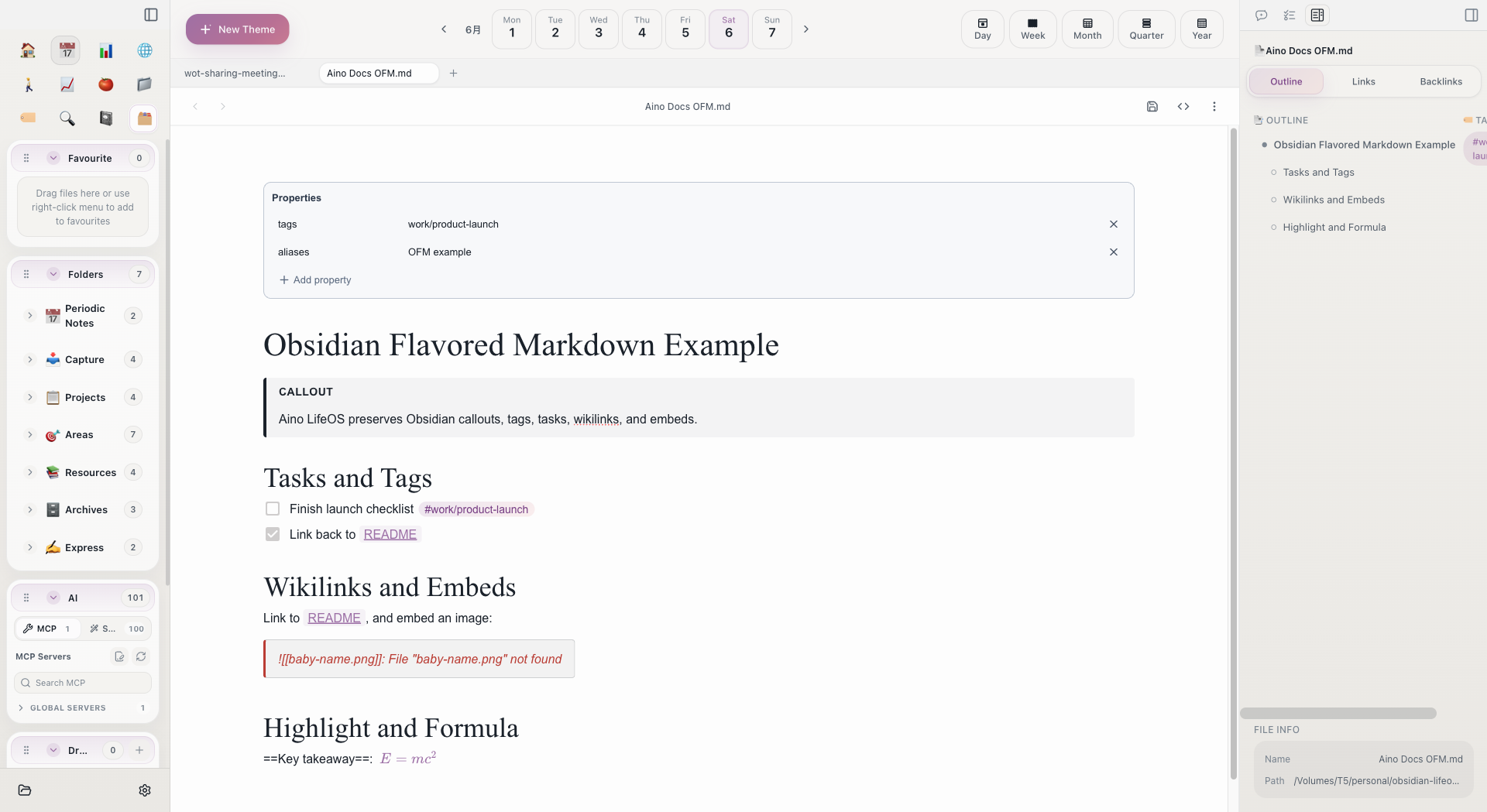
Aino LifeOS is fully compatible with Obsidian Flavored Markdown (OFM). You can directly open an Obsidian Vault and all notes will render and edit correctly.
Compatibility Overview
Wikilink Bidirectional Links
Aino LifeOS uses the same Wikilink syntax as Obsidian to connect notes:
When you type [[, a search panel pops up automatically to help you quickly find the target note.
Embed Syntax
Use ![[]] to embed other content in the current note:
Callout Blocks
Same Callout syntax as Obsidian:
Supports all Obsidian built-in Callout types: note, tip, warning, info, abstract, todo, success, question, failure, danger, bug, example, quote.
Frontmatter (Properties)
YAML metadata at the top of notes is fully compatible:
Aino LifeOS displays Frontmatter as a form for easy visual editing.
Comment Syntax
Obsidian's %% comment syntax is fully supported:
LifeOS templates make extensive use of comments to annotate the purpose of each module.
Coexistence with Obsidian
Aino LifeOS and Obsidian can use the same vault folder simultaneously without data conflicts. We recommend editing a file with only one app at a time to avoid write conflicts.
Aino is a view layer and AI workspace on top of Markdown. It does not lock your notes into a format that only Aino can read. You can keep Markdown files, folders, tags, wikilinks, and the Obsidian Vault structure. For product-line choice, see Obsidian vs Aino.
Related
- Editor -- Editor basics
- Migrating from Obsidian -- Seamless migration from Obsidian LifeOS