
What is Aino LifeOS
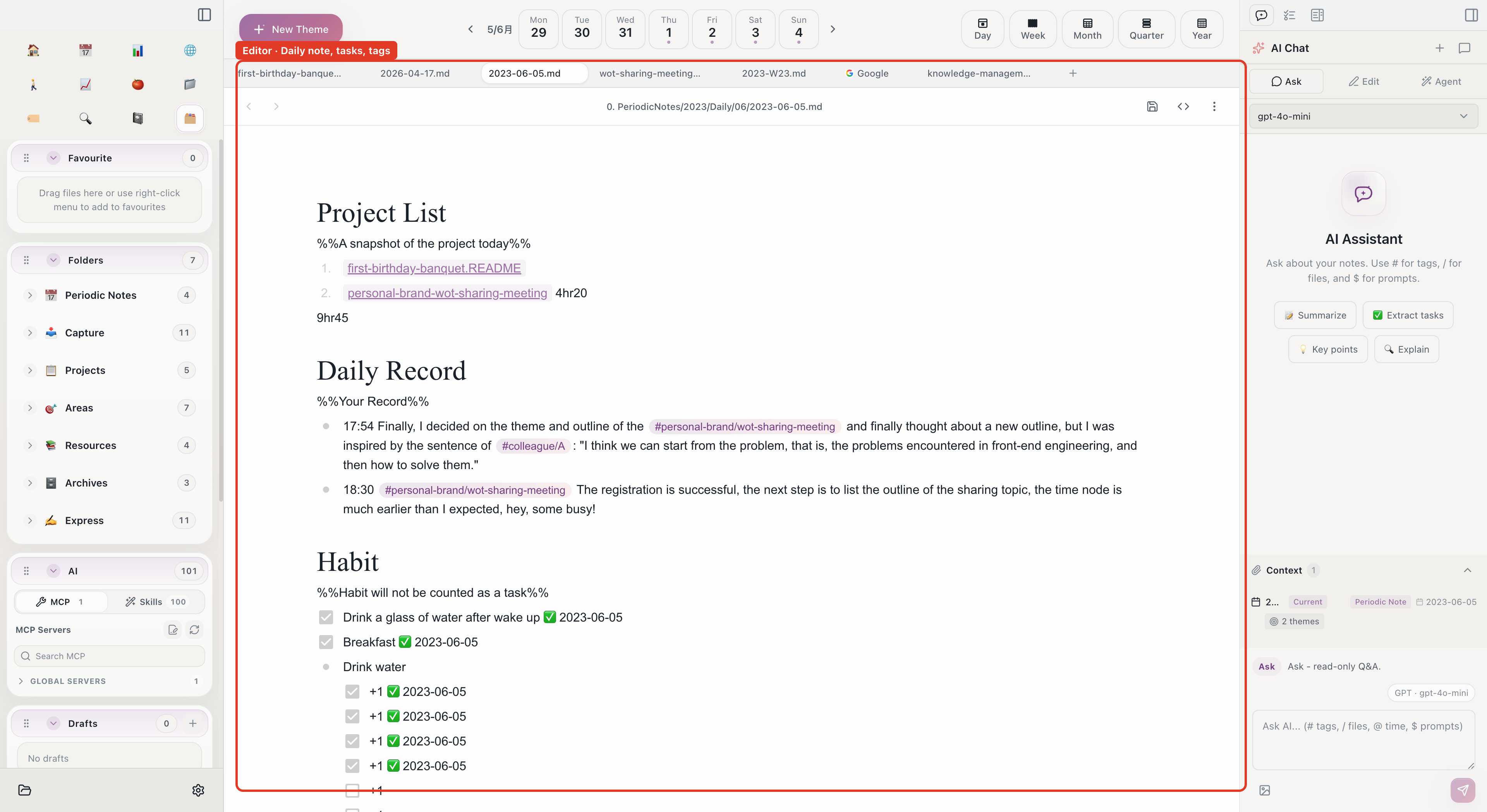
Aino LifeOS is an AI-native note-taking desktop application. It is not an Obsidian plugin, but a standalone desktop app that is fully compatible with Obsidian vaults.
Core Positioning
Aino LifeOS combines AI capabilities with a proven life management methodology:
- AI Capabilities -- Smart chat, AI Agent, MCP protocol support, enabling AI to deeply understand your note context
- Life Management Methodology -- Periodic Notes (time dimension) + Theme Notes (topic dimension), building a complete personal management system
- Local-first -- All data is stored on your local disk, with no dependency on cloud services
In short, Aino LifeOS is a "thinking notebook": it helps you manage daily affairs and long-term goals, while also using AI to discover insights from your notes, generate content, and assist with decision-making.
Relationship with Obsidian
Aino LifeOS and Obsidian are not replacements for each other, but complementary:
Both can share the same Vault folder. You can use Obsidian's rich community plugins, and use Aino LifeOS for AI capabilities and built-in life management workflows.
Aino does not ask you to abandon Obsidian. Both are Markdown Workspaces: Obsidian + LifeOS Pro is better for plugin ecosystems and heavy customization, while Aino is better for an out-of-the-box AI desktop workspace. See Obsidian vs Aino.
Key Features
- Markdown Editor -- Compatible with Obsidian Flavored Markdown, supporting wikilinks, embeds, Callouts, and more
- AI Smart Chat -- AI conversations based on your note context, supporting multiple models (Claude, GPT, DeepSeek, Ollama, etc.)
- AI Agent -- Integrated Claude Code / Codex, executing complex multi-step tasks within your notes
- MCP Protocol -- Connect to external tools and data sources via Model Context Protocol
- Periodic Notes -- Daily, weekly, monthly, quarterly, and yearly notes for time-based task and goal management
- Theme Notes -- PARA or custom categorization for topic-based knowledge management
- Calendar Sync -- Supports CalDAV and Google Calendar, view and manage schedules within the app
- Task Management -- Cross-note task collection, indexing, and tracking
- Built-in Browser -- Browse web pages within the app for easy clipping and referencing
- Full-text Search -- Quickly search all content in your Vault
Supported Platforms
Data Security
Aino LifeOS follows the local-first principle:
- All notes are stored as Markdown files in a folder you specify
- AI conversations communicate directly with providers through your own API Key; the app does not relay or store conversation content
- No mandatory cloud accounts or sync services
- You can migrate your data to any Markdown-compatible tool at any time
Next Steps
- What is LifeOS -- Learn about the core philosophy of the LifeOS methodology
- What is the Second Brain -- Learn about the Second Brain concept and PARA organization method
- Quick Start -- Complete installation and basic setup in 10 minutes
Start with Aino
Turn this approach into your everyday workflow
Try Aino Desktop Pro free for 7 days, open an existing Markdown vault, or start with the complete example vault from your email.
- 7-day free trial
- Portable Markdown
- Complete example vault by email