
How to Do a High-Quality Weekly Review with Aino LifeOS
The weekly review is one of the most impactful habits for personal productivity. This post shows how to use Aino LifeOS's features to complete a thorough weekly review in 30 minutes.
Preparation: Open Your Weekly Note
Every Sunday (or your preferred time), open the weekly note. Aino LifeOS auto-creates it with your template structure.
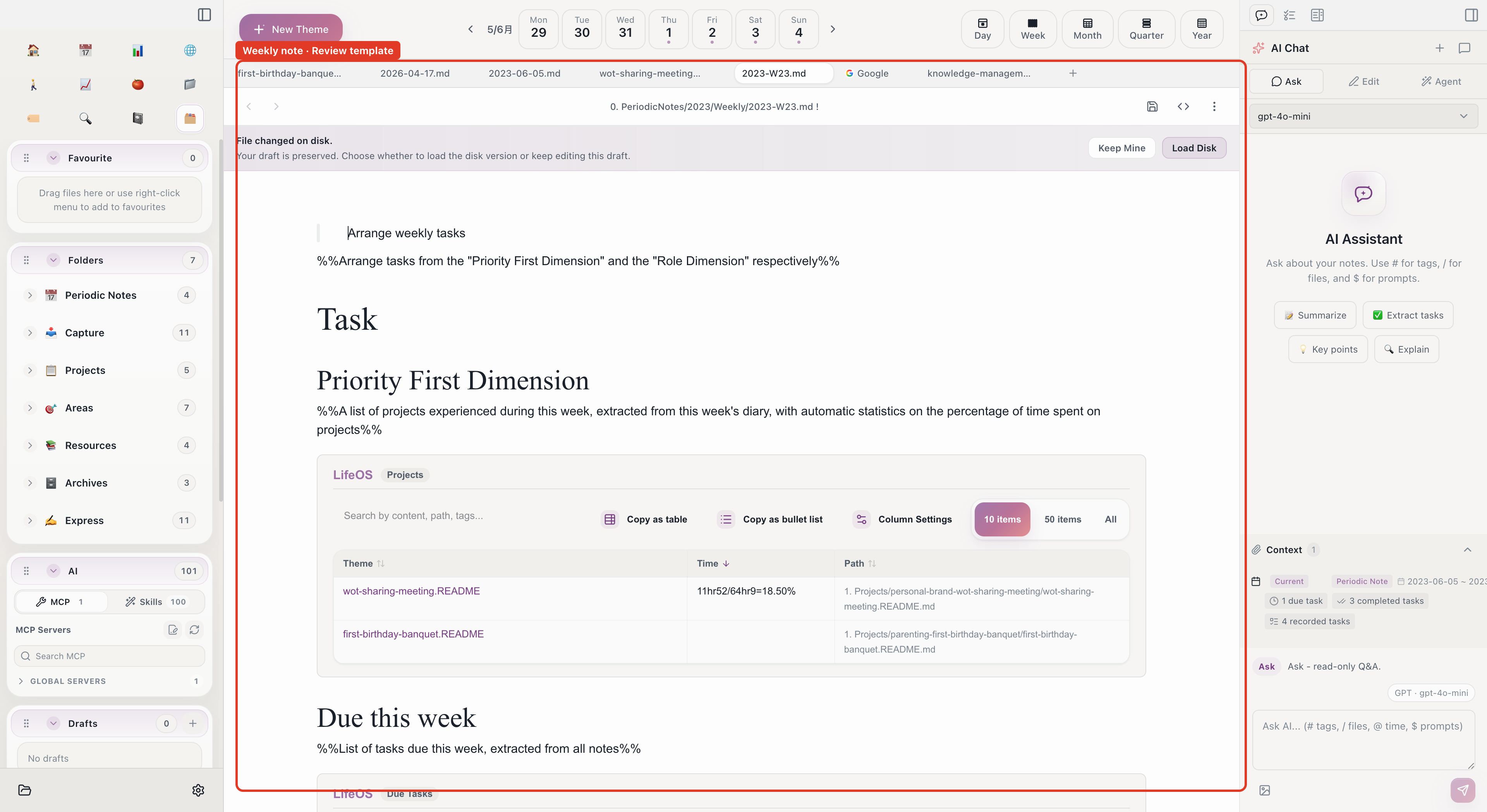
Step 1: Review This Week's Daily Notes (5 min)
Scan through this week's 5 daily notes:
- In the periodic notes navigation, expand this week
- Click through each day, scanning notes and tasks
- Record key items in the weekly note:
Don't copy everything from your daily notes. Only record significant accomplishments and unfinished items.
Step 2: Check Task Completion (5 min)
Open the task inbox to review this week's task status:
- Filter to view this week's tasks
- Count completed vs. incomplete
- Decide what to do with incomplete tasks:
Step 3: Review Calendar (5 min)
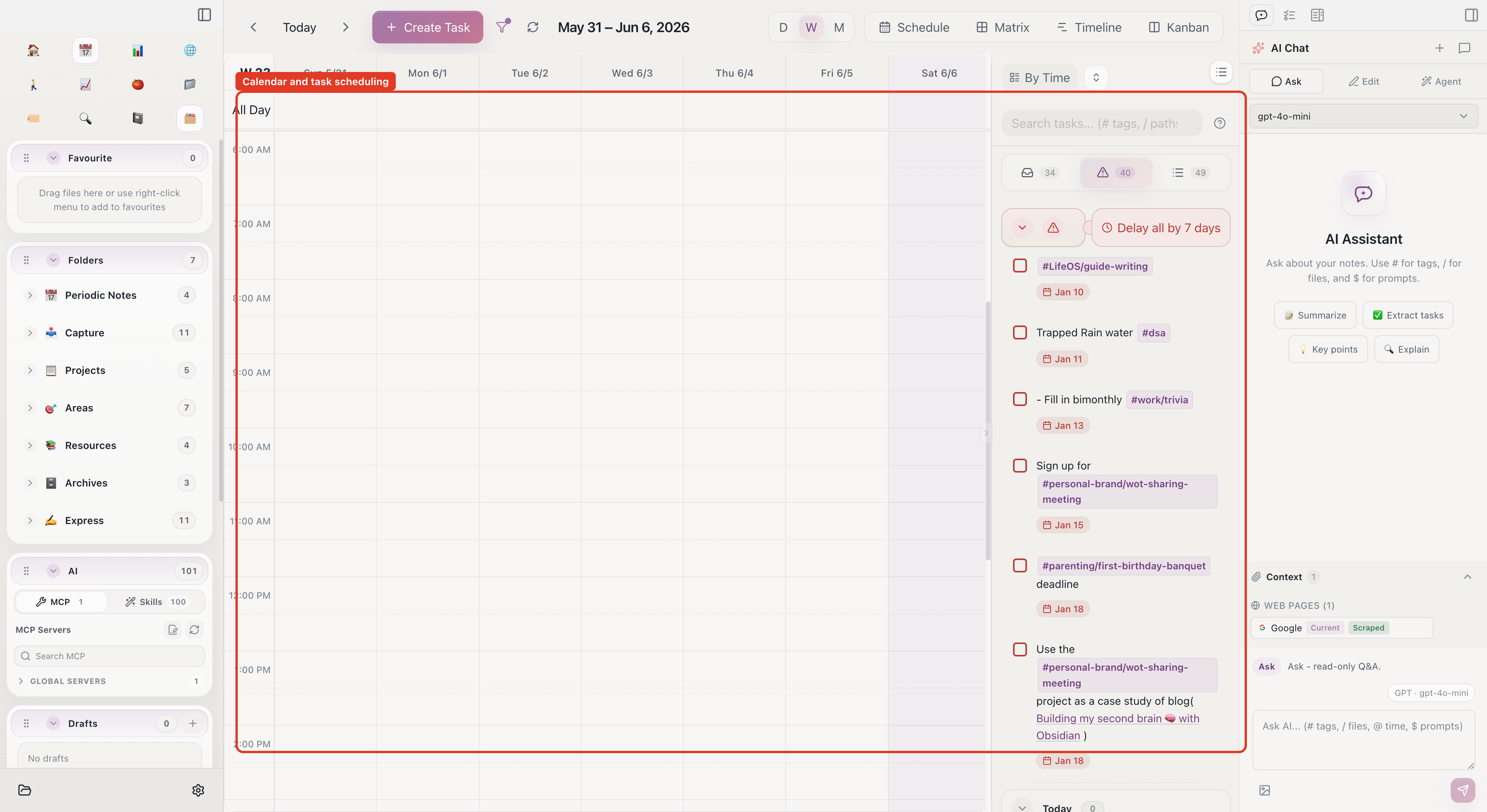
Open the calendar week view for a time perspective:
- Was this week's time allocation reasonable?
- Were too many hours consumed by meetings?
- Were there enough focus work blocks?
Combine with Pomodoro records to tally focus time:
Step 4: Review Habits (3 min)
Open the habit tracking panel:
Step 5: AI-Assisted Summary (5 min)
Use AI Chat to speed up the summary:
- Use
#to reference this week's 5 daily notes - Type:
- AI synthesizes all 5 daily notes into a structured analysis
- Copy valuable insights into the weekly note
Step 6: Plan Next Week (7 min)
Plan next week in the weekly note:
The - [ ] tasks in next week's plan automatically appear in the task inbox.
Step 7: PARA Cleanup (Optional, 5 min)
Do this monthly, or whenever PARA feels cluttered:
- Open the PARA home view
- Check Projects: any completed but not archived?
- Check Areas: is each area being maintained?
- Check Resources: do last week's collected materials need organizing?
- Execute any necessary moves and archiving
30-Minute Weekly Review Checklist
The most important thing about weekly reviews isn't how detailed they are — it's doing them consistently. Even a quick 10-minute pass is far better than skipping it. Aino LifeOS keeps everything in one place, making reviews fast and effortless.
Start with Aino
Turn this approach into your everyday workflow
Try Aino Desktop Pro free for 7 days, open an existing Markdown vault, or start with the complete example vault from your email.
- 7-day free trial
- Portable Markdown
- Complete example vault by email